Fix Walmart SMS Verification Issues
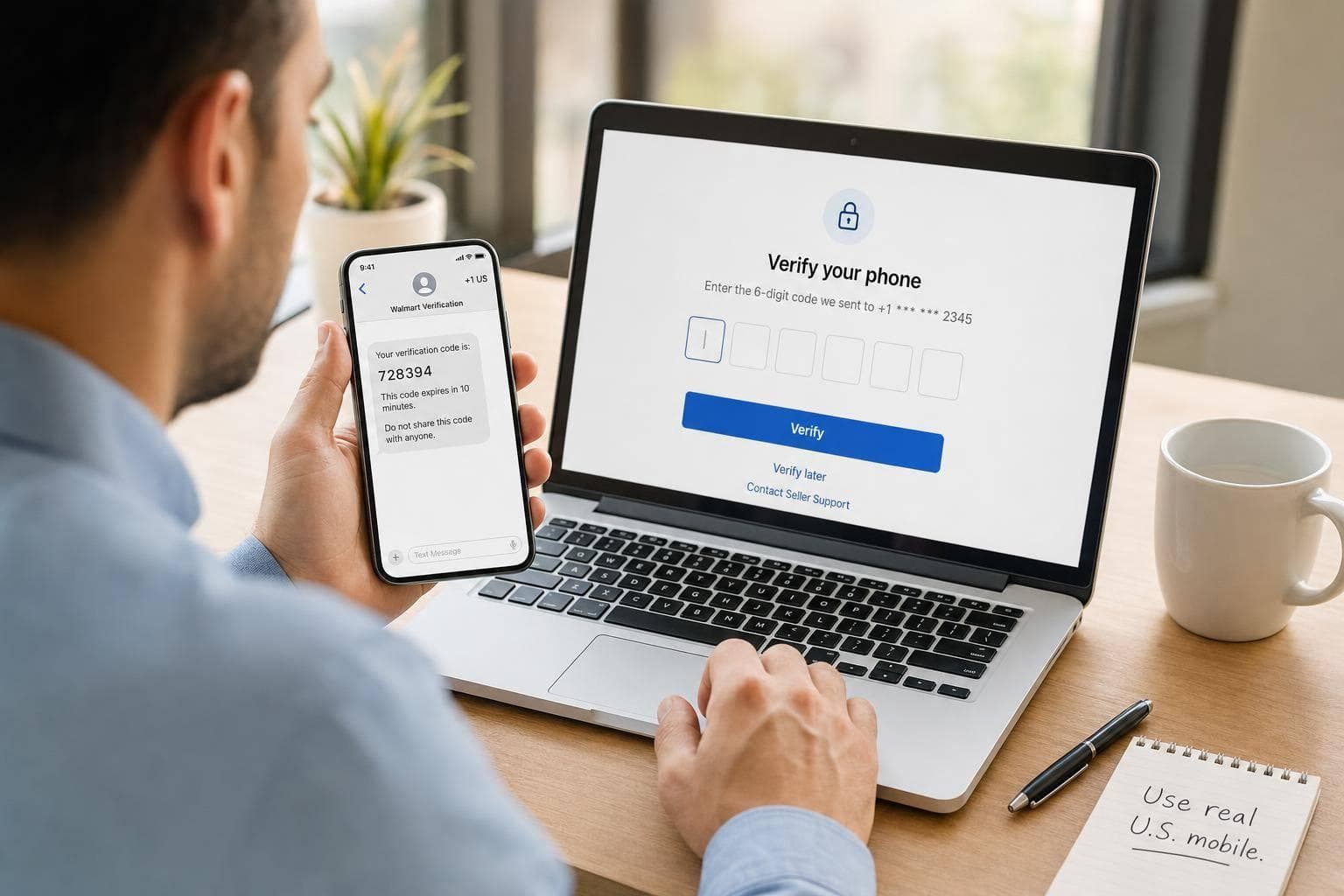
If Walmart SMS verification keeps failing, I’d check the phone number first. In most cases, the problem comes down to one of four things: the number type is wrong, the code expired, too many resend attempts triggered a lock, or the number is tied to another Walmart account.
Here’s the short version:
- Use a U.S. mobile number that can receive short-code texts
- Do not use a landline
- VoIP numbers often fail
- Wait at least 5 minutes between tries
- Use the newest code only
- Codes usually expire in 5 to 10 minutes
- Too many attempts can block access for 1 to 24 hours
- A number used on another Walmart account may be blocked for about 45 days
If I were fixing this fast, I’d do three things in order: check the number format, switch to a standard mobile line if needed, and stop repeated resend requests.
A few details matter more than most people think. Walmart sends codes from 5- or 6-digit short codes, and many VoIP services either miss those texts or get filtered. That’s why teams often move account verification to a dedicated SIM-based mobile number instead of using a shared office line or app-based phone service.
If SMS still fails after that, the fallback path is simple: use Verify Later, save the case details, and contact Seller Support with your account email, phone number, error message, and business records.
This guide walks through those fixes in the right order so you can get past the block with less trial and error.
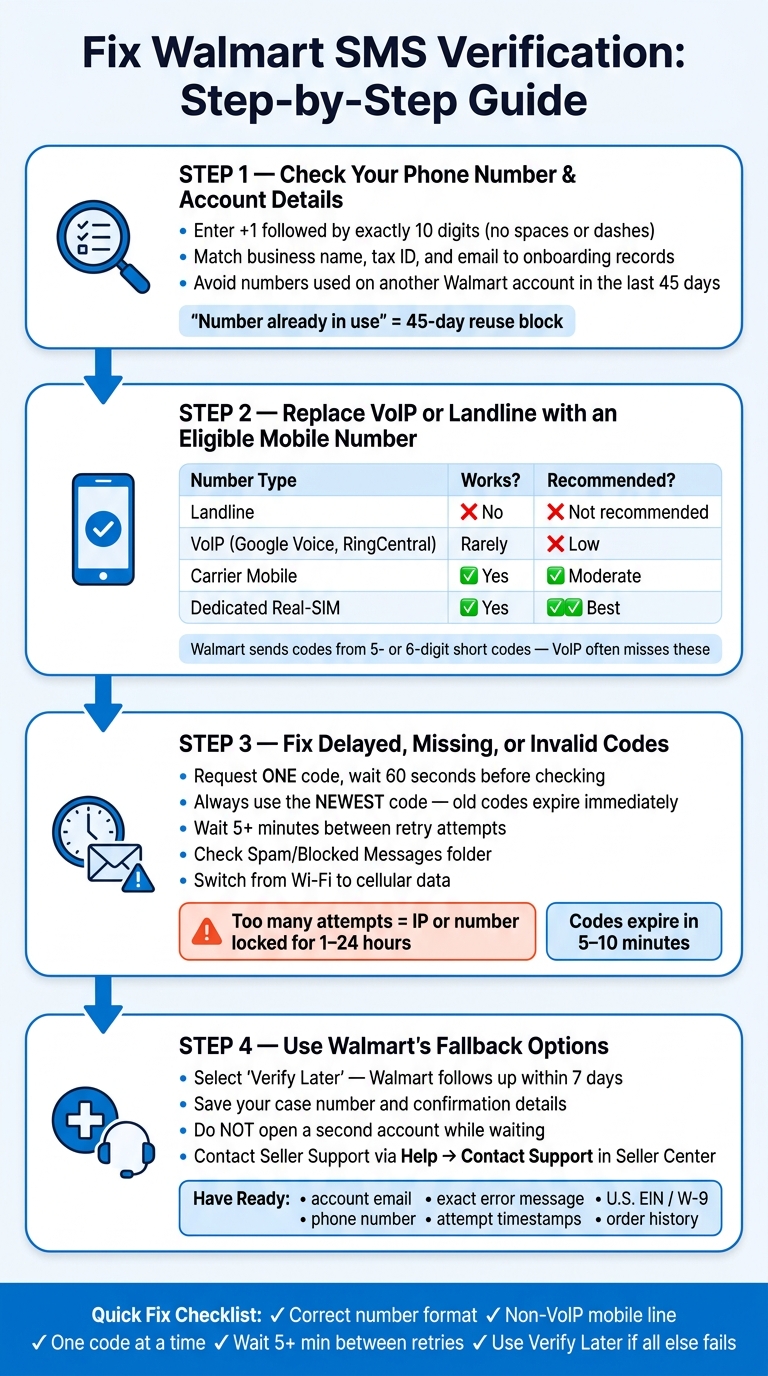
Walmart SMS Verification Fix: 4-Step Troubleshooting Guide
Step 1: Check Your Phone Number and Account Details First
Before you try again, check three things: number format, account match, and reuse status.
Confirm the Number Is Entered Correctly and Can Receive SMS
Choose +1 as the country code, then enter 10 digits with no spaces, dashes, or symbols. Even one wrong digit or extra character can trigger "Invalid Number."
Also make sure the phone line can receive SMS from short codes and carrier-filtered senders. You can find more SMS management best practices to help troubleshoot these delivery issues. Some carriers block short-code SMS by default [3]. Check your blocked or unknown senders folder, then try again while connected to cellular data.
If the format looks right, the next place to check is your account details.
Match Your Walmart Business Details to Your Onboarding Records
Your business name, tax ID, bank details, website, phone number, and email should match the exact onboarding record. If any of those details don't line up, Walmart may block SMS verification entirely [5].
Avoid Numbers Recently Used on Another Walmart Account
If Walmart shows "Number already in use," swap in a different number. Walmart often blocks reuse for about 45 days after a successful OTP on another account [5]. In plain English, that number is either tied to another account or still inside the 45-day wait period.
| Symptom | Likely Cause | Fix |
|---|---|---|
| "Invalid Number" | Bad format | Re-enter with +1 and 10 digits |
| "Number already in use" | 45-day reuse block | Use a fresh number |
| Code never arrives | Carrier filter or blocked sender | Check spam/blocked folders; retry on cellular [3] |
| Too many requests | Rate limit | Wait 1–24 hours [3] |
If the number and account details are correct but verification still fails, move to Step 2 and switch to an eligible mobile number.
sbb-itb-070b8f8
Step 2: Replace VoIP or Landline Numbers with an Eligible Mobile Number
Why VoIP Lines Often Fail Walmart Verification
If your business line runs through OpenPhone, Google Voice, RingCentral, or Grasshopper, that may explain why Walmart's code never shows up. These services use VoIP routing, and that often doesn't play well with SMS verification.
If Step 1 already ruled out formatting issues and account mismatches, the next thing to check is the number type.
Walmart sends 5- or 6-digit verification codes [2][5]. VoIP lines often miss that traffic, and the failure can be silent. Walmart may say the code was sent, but nothing appears on the phone [5]. On top of that, Walmart may flag VoIP ranges as high risk [3][4].
When a Dedicated Real-SIM Number Makes Sense
A standard carrier mobile number will usually work better than a VoIP line. But if your team needs a stable, private U.S. number for repeat business verification, a dedicated real-SIM number can make more sense over time.
JoltSMS offers dedicated, non-VoIP U.S. numbers on carrier-grade SIM hardware, with codes sent to a dashboard or Slack/Discord.
Compare Number Types Before You Retry Verification
The table below shows the usual pattern for Walmart OTP delivery. Nothing is guaranteed in every case. Account history, prior use, and Walmart's own controls still matter. Even so, the pattern is pretty consistent.
| Number Type | Receives Walmart OTP? | Common Failure Reason | Best for recurring verification? |
|---|---|---|---|
| Landline | No [3] | Cannot receive SMS at all [3] | Not recommended |
| VoIP (Google Voice, OpenPhone, RingCentral) | Rarely [5] | Short codes and anti-fraud filters block delivery [3][5] | Low - keep for calls only |
| Carrier mobile | Yes [3] | Carrier spam filters may drop retail short codes [3] | Moderate - ties the account to a personal SIM |
| Dedicated real-SIM number (e.g., JoltSMS) | Yes [1] | Minimal; uses carrier-grade SIM hardware and avoids VoIP blocks [1][4] | High - private, stable, team-accessible [1] |
If you're using a VoIP line and verification keeps failing, switching the number is usually the most effective fix before you try anything else.
If a real mobile number still doesn't work, the next issue is often code delivery, inbox filtering, or rate limits.
Step 3: Fix Delayed, Missing, or Invalid Walmart Codes
Request One Code, Then Wait
If your number is eligible but Walmart still won't send or accept a code, the problem is often timing, message filtering, or rate limits.
Start simple: request one code, then wait 60 seconds before checking your inbox. Always use the newest code. When you request another one, the older code expires. If nothing shows up, wait 5 minutes before trying again. Hammering the button can backfire and lock your IP address or phone number for 1 to 24 hours [2][3].
If the code still doesn't come through, the next step is to check where your messages may be getting stuck.
Check Message Filters and Signal Issues
Walmart uses short-code OTPs, and carriers sometimes block or filter them. Look in your phone's Spam or Blocked Messages folder. Also make sure unknown sender blocking is turned off.
A few small fixes can help:
- Switch from Wi-Fi to cellular data
- Clear your browser cache
- Open the page in an incognito window if the verification screen stops responding [2][3]
If you use JoltSMS, don't check your phone inbox. Check the dashboard or your Slack/Discord alerts instead.
And if the code still isn't showing up, make sure you're using a phone number meant to receive messages, not a sending API.
Know the Difference Between Receiving a Code and Sending One
This part trips people up all the time. Twilio Verify, Vonage Verify, Plivo Verify, and Telnyx Verify API are built to send codes from your own app. They do not receive Walmart codes.
If your team needs a steady receiving number, JoltSMS routes Walmart OTPs away from VoIP and into a real inbox [1].
If delivery still fails after these checks, move to Walmart's fallback options next.
Step 4: Use Walmart's Fallback Options and Next Steps
Use Walmart's Verify-Later Option
If the code still doesn't show up after you've checked the number type, message filters, and rate limits, move to Walmart's fallback route. If SMS keeps failing even after you switch to an eligible number and wait at least five minutes between attempts[3], stop resending and choose Walmart's "Verify Later" option. Walmart usually follows up within seven days[3].
When you pick this option, save any case number or confirmation details Walmart gives you. Also, don't open a second account while you're waiting.
Contact Seller Support If Verification Still Fails
If Verify Later doesn't fix the problem, reach out to Seller Support and have your case details ready. If you're logged in, go to Help → Contact support inside Seller Center. If you can't log in, use the "Contact support" link on the Seller Center login page.
Before you contact support, gather:
- Your account email
- Your phone number
- The exact error message
- The time and date of each attempt
- Business documents like your U.S. EIN, W-9, and legal entity name
- Order history details and email receipts
Support may use these details to confirm your identity[3].
Conclusion: The Fastest Path to Verification
The fastest path is pretty simple: stop repeated resend attempts, use an eligible number, and only escalate if Walmart's fallback still doesn't clear the block. If SMS keeps failing, use Verify Later and then contact Seller Support. If your team wants a steady long-term option, JoltSMS offers dedicated real-SIM U.S. numbers for verification.
FAQs
Why is Walmart rejecting my phone number?
Walmart often rejects numbers it flags as VoIP or landline. Those number types are often blocked to cut down on fraud and misuse. So if your number looks virtual or non-mobile, Walmart may reject it right away.
A few other common causes can trigger the same issue:
- The number is already linked to another account
- You're using a VPN, proxy, or public Wi-Fi
- The number was entered in the wrong format
- Your carrier's spam filters are getting in the way
- There have been too many failed attempts
Sometimes it's not just the number itself. It's the full setup around the sign-up or verification attempt that trips the system.
How long should I wait before trying again?
Most verification codes show up within a few seconds. If yours doesn’t, wait at least 60 seconds before asking for a new one.
Try not to hit resend over and over. That can trigger rate limits or even lead to a short account or IP lockout. If several tries don’t work, wait at least 5 full minutes before trying again. If it still isn’t working, contact support.
What should I do if Walmart SMS still won’t work?
First, make sure you’re not using a VoIP number. Walmart often blocks them. So if you’re using Google Voice or OpenPhone, switch to a real SIM number such as JoltSMS.
If your number is already solid, try a few basic fixes:
- Wait 60 seconds before requesting another code
- Switch from Wi-Fi to cellular data
- Clear your browser cache and cookies, or use incognito
- Check that your IP is U.S.-based
- Review spam or blocked messages
If it still doesn’t work, contact JoltSMS support or Walmart support.