What Are SIM Swap Attacks and How to Prevent Them
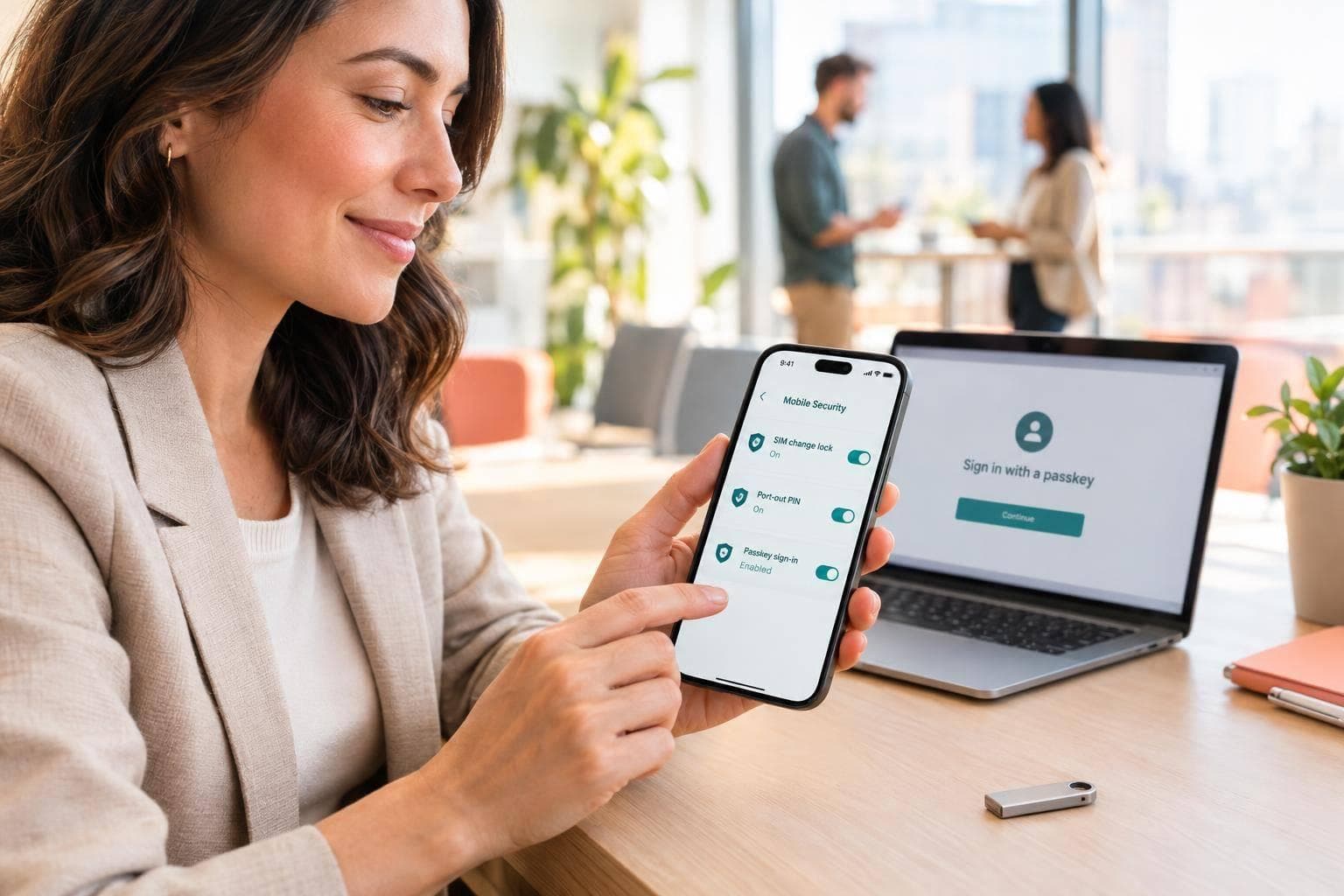
A SIM swap lets a criminal take over your phone number - and receive your texted login codes. I recommend two carrier protections: a SIM-change lock and a port-out lock, plus passkeys or security keys for accounts that support them.
Here’s the short version:
- Protect your number: Set separate SIM and carrier account PINs. A SIM PIN alone does not stop a carrier from replacing your SIM.
- Limit SMS use: Move email, financial, and business accounts away from texted codes. Keep backup codes offline and limit staff access to shared business numbers.
- Watch for warning signs: Sudden loss of service, unexpected transfer notices, and unfamiliar account activity need a check.
- Act if a swap happens: Contact your carrier through official channels, secure your email, and check linked accounts. If money is at risk, call your bank while carrier recovery is underway.
My rule: <u>don’t wait for text service to return before protecting your accounts.</u> Save records of any fraud and report it through IdentityTheft.gov or IC3.gov.
Protect Your SIM and Restrict Carrier Changes
Once your number is stable again, restrict carrier changes before relying on SMS for recovery. A carrier lock limits which network your phone can use. It does not stop SIM swaps.
Set Separate SIM and Carrier Account PINs
Confirm your carrier’s default PIN before turning on a SIM PIN. On iPhone, go to Settings → Cellular → SIM PIN. On Android, look for SIM card lock in Security. Too many incorrect attempts will lock the SIM, requiring a carrier PUK code to unlock it.[1]
Set a separate carrier account PIN or transfer PIN, too. Your carrier may require it for SIM replacements or port-outs.[5][6]
| Control | What it protects | When it is checked | Limitation |
|---|---|---|---|
| SIM PIN | Access to the physical SIM or supported eSIM | After a restart or when the SIM moves to another phone | Does not stop the carrier from issuing a replacement SIM |
| Carrier account PIN | Carrier account changes | During support calls or retail store visits | Depends on carrier enforcement |
With both PINs set, check that your carrier’s locks are enabled.
Turn On SIM-Change and Port-Out Locks
In the U.S., carriers must offer free locks for SIM changes and number ports. Ask whether each lock blocks changes or just adds extra verification. Also confirm which lines it covers, including eSIMs.
Check Lock Coverage and Verification Rules
Check every line on your account - not just the primary number - and include eSIMs. Have alerts sent to an email address you monitor.[5][6]
| Protection | Threat addressed | Questions to ask the carrier |
|---|---|---|
| SIM-change lock | SIM or eSIM replacement without your permission | Does it block remote eSIM provisioning? Can store staff override it? |
| Port-out lock | Carrier transfer without your permission | Is this a lock or a transfer PIN? |
| Account PIN | Impersonation during support requests | Which changes require it? |
| Transfer notifications | Changes that may already be underway | Where are alerts sent, and when? |
| In-person verification | Remote impersonation | Is physical government ID required? Are exceptions allowed? |
sbb-itb-070b8f8
Reduce Business Reliance on SMS Codes
Once carrier locks are in place, move high-value accounts away from SMS wherever possible. Less reliance on SMS for login or recovery means less exposure to a SIM swap. Carrier locks reduce takeover risk, but SMS codes remain vulnerable to phishing.
Use Passkeys or Security Keys for Sensitive Accounts
Choose passkeys or FIDO2 hardware security keys when the platform supports them. Both resist phishing and work without your phone number. If neither is available, use an authenticator app. Its codes don’t depend on your phone number, but they aren’t phishing-resistant.
Biometrics unlock the passkey; they don’t replace account authentication. Before removing SMS login or recovery, test the new method and set up secure recovery. Keep backup codes offline - not in the account they protect.
Use SMS only when the platform offers no better option. For more security tips, visit our SMS management blog.
Protect Business Numbers That Still Need SMS
For platforms that require SMS, use a dedicated real-SIM number rather than a VoIP line. Platforms often reject VoIP numbers for verification.
Protect the dashboard with strong authentication. Restrict dashboard, API, incoming-code, and webhook access - including destinations and secrets - to approved staff. Remove access immediately when staff leave.
What to Do After a SIM Swap
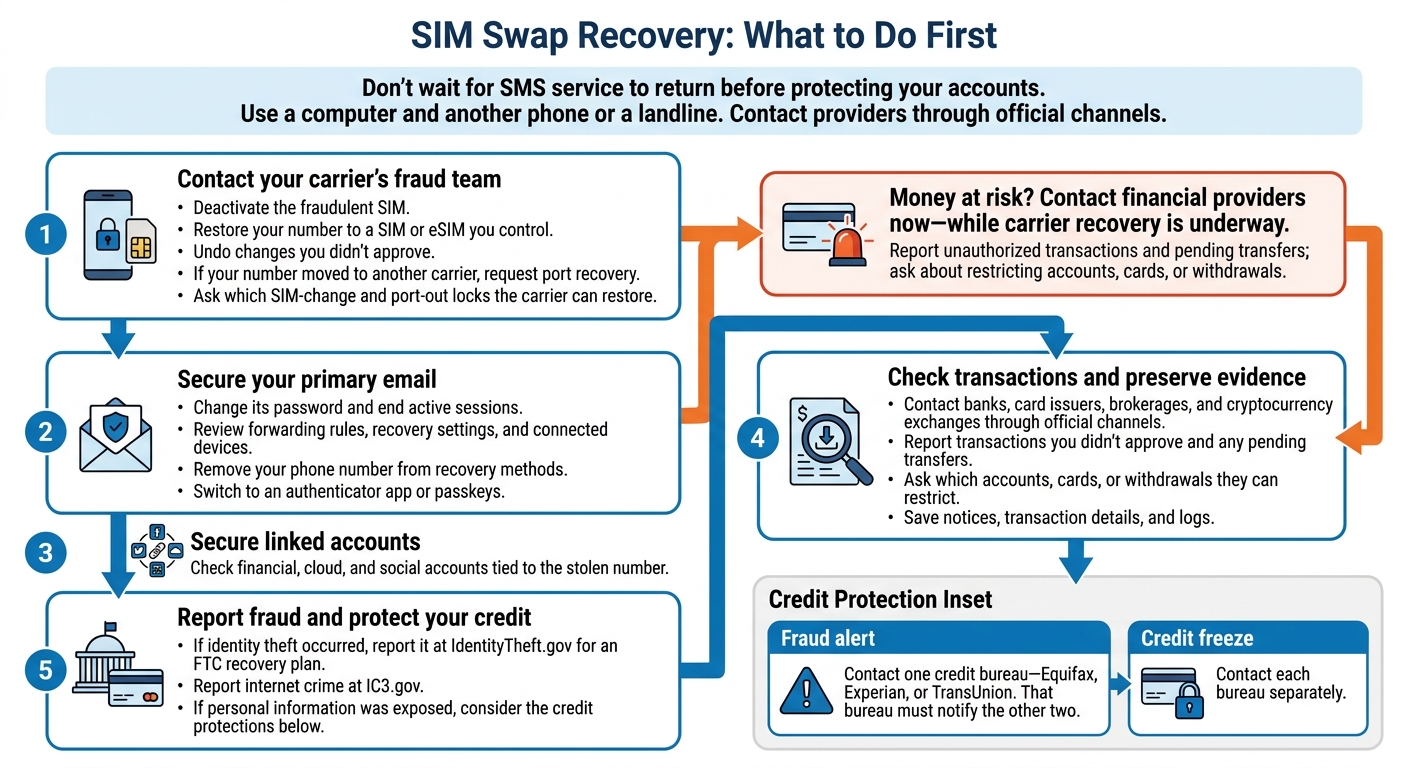
SIM Swap Recovery: What to Do First
After a confirmed SIM swap, tackle carrier recovery first, email security second, and fraud checks third. Use a computer and another phone or a landline, and reach your carrier through its official fraud line or website. If fraud is already happening, contact your financial providers while carrier recovery is underway. Don’t wait for SMS service to return.
Restore Your Number and Protect Primary Email
Ask your carrier’s fraud team to deactivate the fraudulent SIM, restore your number to a SIM or eSIM you control, and undo changes you didn’t approve. If someone moved your number to another carrier, request port recovery. Also ask which SIM-change and port-out locks the carrier can restore.
Next, secure your primary email. Change its password, end active sessions, and review forwarding rules, recovery settings, and connected devices. Remove your phone number from recovery methods and switch to authenticator apps or passkeys.
Once your email is secure, turn to banks and other linked accounts, including financial, cloud, and social accounts. Revoke access you don’t recognize and replace compromised passwords.
Check Transactions and Report Fraud
Review every account tied to the stolen number. Contact banks, card issuers, brokerages, and cryptocurrency exchanges through official channels. Report transactions you didn’t approve and any pending transfers. Ask which accounts, cards, or withdrawals they can restrict.
Save notices, transaction details, and logs. If identity theft occurred, report it at IdentityTheft.gov to get an FTC recovery plan. Report internet crime to IC3.gov as well.
If personal information was exposed, place a fraud alert with one credit bureau - Equifax, Experian, or TransUnion. That bureau must notify the other two. For a credit freeze, contact each bureau separately.
Conclusion: Check Carrier Locks and Limit SMS Use
Each control has a separate job: a SIM PIN protects the SIM, a carrier PIN verifies account changes, a SIM-change lock blocks replacements within your carrier’s network, and a port-out lock blocks transfers to another carrier. [1][6][7][8]
Check your carrier’s app or website to confirm both the SIM-change and port-out locks are enabled for every number. One lock does not cover both types of transfers. If anything is unclear, call the carrier’s fraud department directly and ask what verification it requires. [6][8] Once you’ve confirmed both locks, remove SMS from your most sensitive accounts.
Next, check that your primary email and password manager use passkeys or security keys, with no SMS dependency for sign-in or recovery. This keeps a phone-number takeover from compromising those access methods. Store backup codes offline, and test signing in from another device without SMS.
Confirm your carrier’s current lock and identity-check rules through its app, website, or fraud department. Update your settings if the process has changed. [6][7][8]
FAQs
How can I distinguish a SIM swap from an outage?
Both can cause a sudden loss of service, with your phone showing “No Service” or “SOS Only.” Suspect a SIM swap if you also get unexpected notifications about changes to your carrier account or lose access to banking or email accounts after password resets you didn’t request.
Don’t just reboot your phone. Use another device to contact your carrier’s fraud department immediately. Ask whether your number was recently moved to a new SIM card.
Can attackers bypass my carrier’s SIM-change lock?
Yes - attackers may bypass the lock by tricking or compromising the carrier’s identity verification process, or by getting an insider to override it. They can then move your number to a SIM they control and receive your SMS verification codes [1][2].
For better protection, enable a carrier SIM transfer PIN or account passcode. Also request a port-out/number lock (port freeze) to block number transfers more broadly [3][4].
Can I recover my accounts without my phone number?
Yes, though recovery can take time. Contact your service providers directly to verify your identity through another method, such as email verification or security questions. If your number was compromised, contact your mobile carrier immediately to regain control and deactivate the SIM you didn’t authorize.
Once service is restored, reset your passwords. To help prevent future problems, move high-value accounts away from SMS-based recovery and use authenticator apps, hardware security keys, or passkeys instead.