Uber SMS Code Not Received? Fix It Now
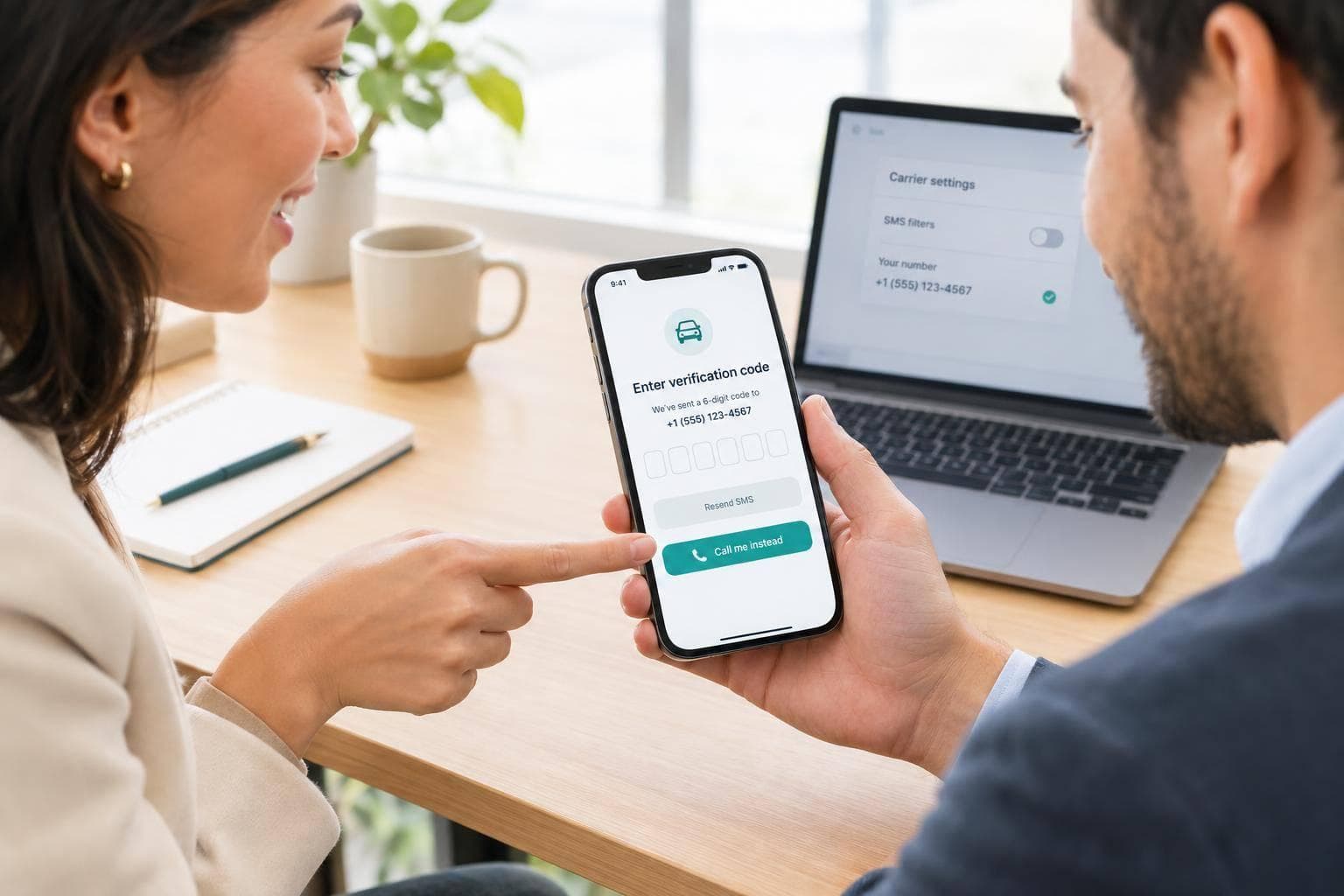
Uber code not arriving? I’d check your number and signal first, then wait 60–120 seconds before requesting another code. If you’ve already tried several times, pause for at least 15 minutes.
Here’s the order I’d follow:
- Check the basics: For a U.S. number, confirm +1 followed by 10 digits. Use only the newest unexpired code.
- Try another route: Use “Call me instead” if offered. Check blocked or spam messages, and ask your carrier whether verification texts are blocked.
- Get account help: Contact Uber Help if codes still fail or you can’t access your registered number.
- Change numbers last: I’d choose a mobile SIM over VoIP. A dedicated real-SIM service such as JoltSMS is another option, but Uber acceptance isn’t guaranteed.
<u>Keep your old line active until any number change is complete.</u> You may still need it for verification or account recovery.
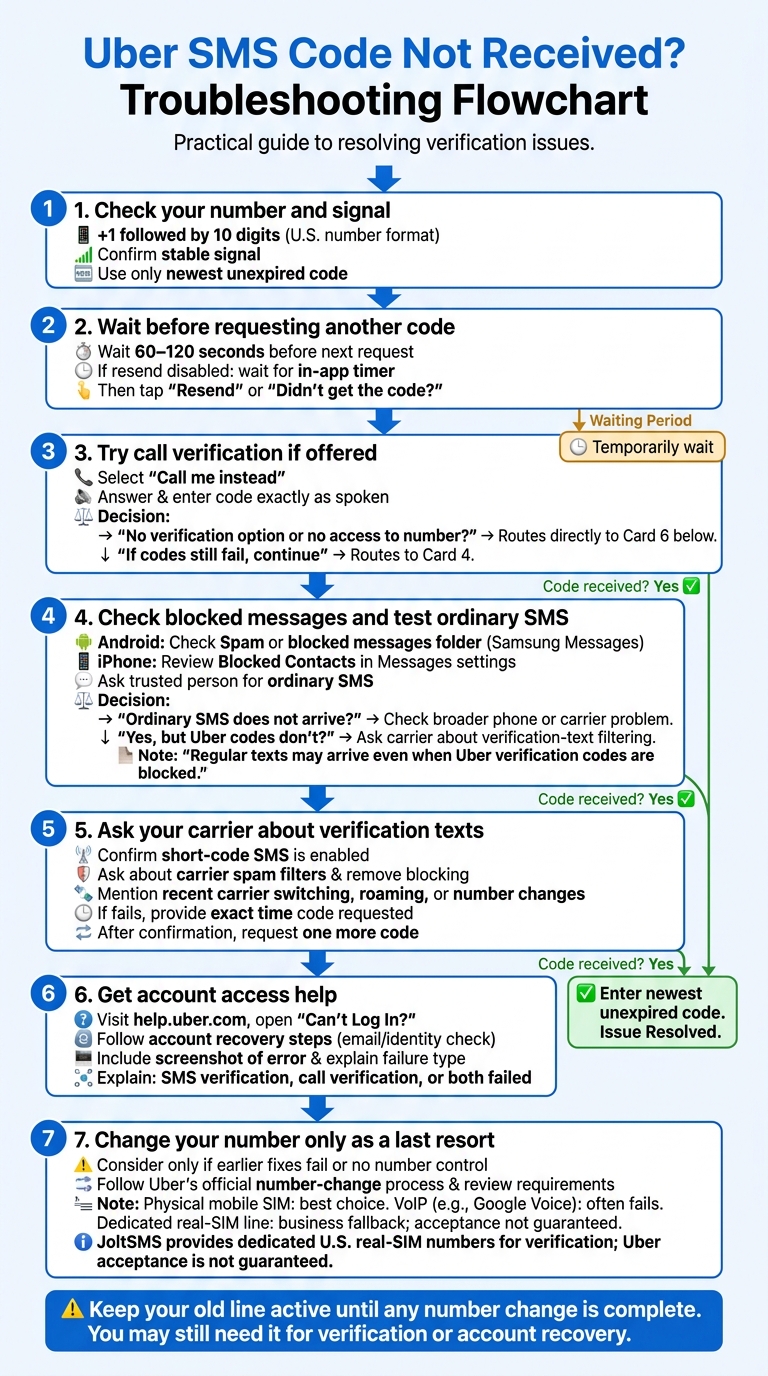
Uber SMS Code Not Received? Troubleshooting Flowchart
Try Uber’s Verification Options
If the basics are correct, try Uber’s fallback verification options before changing your number.
Resend the Code or Request a Call
After the cooldown ends, tap “Resend” or “Didn’t get the code?” on the code-entry screen. If the button is still disabled, wait until the in-app timer runs out. [2][9]
If Uber offers “Call me instead,” answer the automated call and enter the code exactly as spoken. [5]
If neither option appears, move to account recovery.
Contact Uber for Account Access Help
If you don’t see another verification option or can’t access your registered number, visit Uber Help. Open “Can’t Log In?” and follow the account recovery steps. You may need to confirm your email or complete identity checks. [1][2][5]
Attach a screenshot of the error and explain whether SMS verification, call verification, or both failed. [1]
sbb-itb-070b8f8
Check SMS Filters and Carrier Service
If Uber codes still don’t arrive after trying the resend and call options, check whether messages are being filtered before they reach your phone. Regular texts may arrive even when Uber verification codes are blocked.
Check Blocked Messages and Test SMS Delivery
Android messaging apps can filter verification codes. Look in your app’s Spam or blocked messages folder, especially if you use Samsung Messages. [2] On iPhone, review Blocked Contacts in Messages settings and check your filtered messages.
Ask someone you trust to send you an ordinary SMS. If that text doesn’t arrive either, check for a broader phone or carrier problem. [2] If regular texts arrive but Uber codes don’t, carrier filtering - not your signal - is usually the cause. [2]
Ask Your Carrier About Verification Texts
Ask your carrier’s support team to confirm that short-code SMS is enabled on your line and that carrier spam filters aren’t blocking Uber codes. [2][4] Also ask them to remove any messaging blocks on your line. [2]
Tell support if you recently switched carriers or are roaming internationally. If you ported, changed, or reactivated your number, confirm that your line can receive SMS.
If your next attempt fails, give your carrier the exact time you requested the code. Once the carrier confirms delivery is active, try requesting one more code.
Change Your Number Only If Needed
Changing your number should be a last resort. Do it only if earlier fixes fail or you no longer control the registered number. If your carrier confirms it blocks short-code SMS and can’t fix the issue, you may need to switch numbers.[2][6]
Follow Uber’s official number-change process and review its verification requirements before canceling your old line. Keep that number active until the update is complete - Uber may send a confirmation code to it.[1][5][8]
Compare Mobile, VoIP, and Dedicated Real-SIM Numbers
Choose the line type most likely to work with Uber. A physical mobile SIM is the best choice. VoIP numbers, such as Google Voice, often fail, while a dedicated real-SIM line is the better fallback for business use.[1][5][10]
JoltSMS for Business SMS Verification
For a business line that needs to receive verification texts, a dedicated real-SIM number is a practical choice. JoltSMS - Dedicated Real-SIM US Phone Numbers for Business SMS Verification provides dedicated U.S. real-SIM numbers for verification, but Uber acceptance is not guaranteed.
You can keep VoIP for calls and use the real-SIM number for Uber verification if Uber accepts it. Keep access to the number until the switch is complete.
Conclusion: Keep Access to Your Registered Number
If the steps above don’t work, check that your number uses +1 formatting and that your signal is stable. Wait until the cooldown ends before trying again.[1][3][7][9]
If SMS still doesn’t arrive, try Call Me if Uber offers it. Check your Spam/Blocked folders and ask your carrier whether it blocks short codes. Before replacing your number, contact Uber’s official Help Center and include a screenshot of the error.[1][2][5][6][9]
Keep your registered line active so you can receive future Uber login and recovery codes.
FAQs
Will reinstalling Uber fix missing verification codes?
Yes, reinstalling Uber may help by clearing cached data and reconnecting the app to Uber’s servers. Try force-quitting the app and clearing its cache first. If that doesn’t work, uninstalling and reinstalling it may restore the SMS trigger [1].
Uber may block VoIP numbers. If you use one, consider a real-SIM service like JoltSMS, whose numbers are accepted by over 1,000 platforms [1][2][3].
Can dual-SIM settings affect my Uber codes?
Yes. Dual-SIM settings can indirectly affect Uber verification codes if the wrong SIM is selected for SMS or your carrier has message-routing issues. Set the SIM linked to your Uber account as the primary line for SMS and data.
Some carriers, especially those offering prepaid or MVNO plans, may block Uber’s short-code messages. JoltSMS offers dedicated, real-SIM numbers as an alternative to VoIP numbers, which are often blocked for verification.
How can I tell if a verification text is really from Uber?
An unexpected verification code likely means someone entered your phone number by mistake while logging in. Ignore the message and don’t click any links. If codes keep arriving, change your primary account password immediately to help protect your account.
JoltSMS provides dedicated, real-SIM US numbers for business SMS verification. VoIP services are often blocked by platforms like Uber. JoltSMS instead uses carrier-grade SIM hardware for high delivery rates.