A shared 2FA phone number for your team
Move SMS verification for your business accounts off one person’s phone and onto a dedicated JoltSMS number your team shares. Codes reach everyone who needs them, and you decide who has access. $50/month or $500/year per number, with Team Access included.
- One dedicated real-SIM US number for your team’s SMS codes
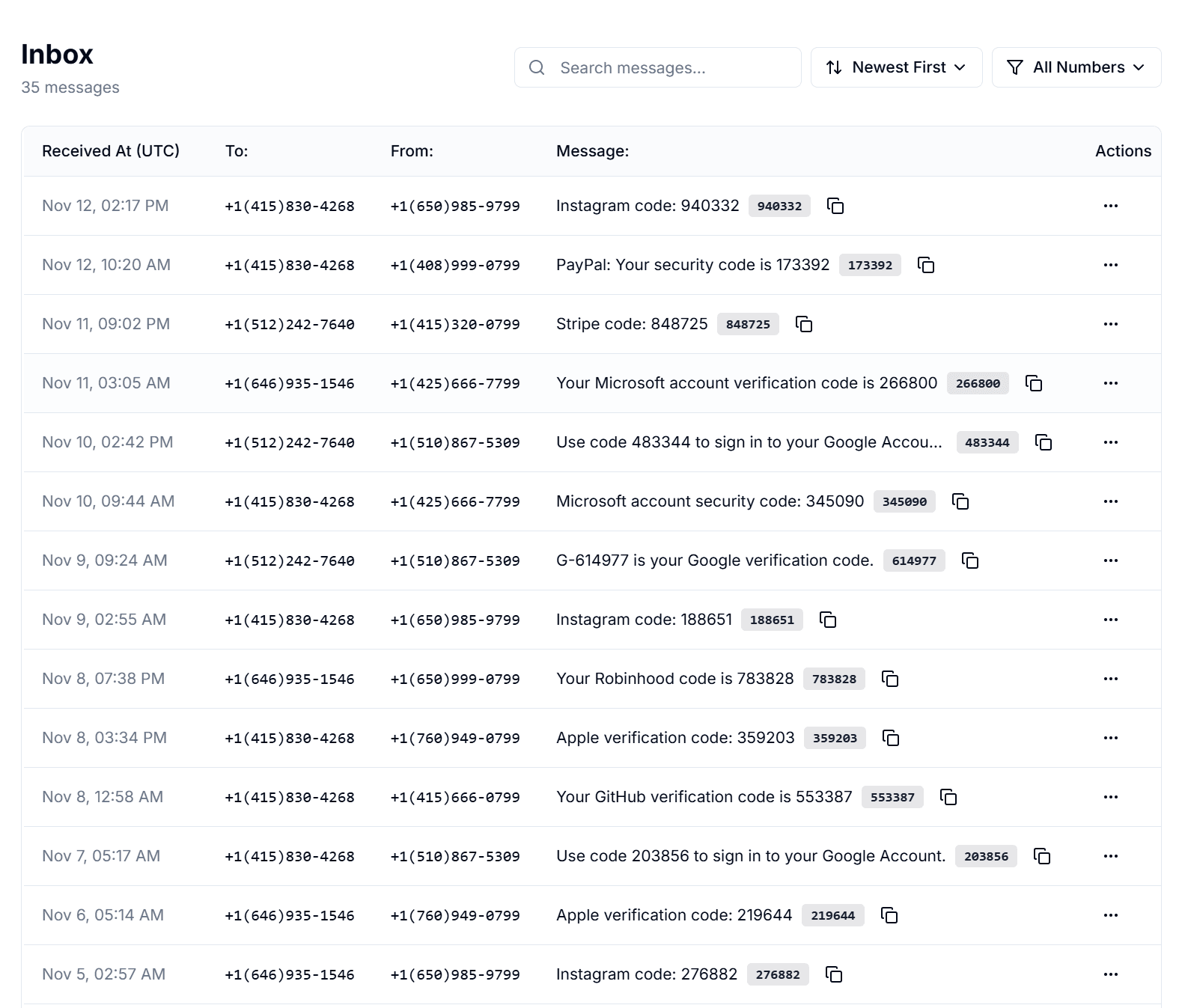
- Codes in a shared inbox, plus Slack, Discord, Teams, Telegram, or email
- Owner, Manager, and Viewer roles for up to 10 people per number
- No more waiting on whoever has the phone
How to set up a shared 2FA number
Most teams are set up in a few minutes. After that, any teammate with access can read a new code without asking someone for it.
- 1
Rent a dedicated number
Start a monthly or annual rental. JoltSMS assigns an available real-SIM US number that stays yours while the rental is active.
- 2
Invite your team
Add up to 10 people per number as an Owner, Manager, or Viewer. Invitations expire after 7 days. See what each role can do.
- 3
Send codes where your team works
Route incoming SMS to a private Slack, Discord, Microsoft Teams, or Telegram channel, to email, or to a signed webhook. Set up notifications.
- 4
Update each account’s 2FA phone
For each business account your team owns or is authorized to manage, change the SMS verification number to your JoltSMS number. Follow that service’s rules for changing phone numbers.
Ways to share 2FA codes with a team
If a service lets each person sign in with their own login or authenticator app, use that. A shared number fits accounts where the service allows one phone number and sends codes by SMS.
| Option | When the code owner is away | When someone leaves | Best fit |
|---|---|---|---|
| Forward codes from one person’s phone | Team waits for that person | Change the number on every account | Very small teams with one always-available admin |
| Shared VoIP number | Anyone with app access can read codes | Remove the person from the app | Services that accept VoIP numbers |
| Authenticator app in a shared password manager | Anyone with vault access can read codes | Remove the person from the vault | Services that offer authenticator-app 2FA |
| JoltSMS shared number | Codes reach the inbox and your team channel | Owner removes the person; the number stays | Services that require SMS to a mobile number |
Swipe the table to see more →
Keep shared 2FA codes under control
Sharing a 2FA number means more people can complete a sign-in. Limit that group to the people who need it.
Use a private channel
Send codes only to a channel limited to the people who sign in to those accounts. Anyone who can read the channel can read the codes.
Give read-only access where you can
Viewers can read messages but cannot change endpoints, rules, billing, or the rental.
Remove access when people leave
An Owner can remove a teammate from a number. After removal, that person can no longer see its messages. Also remove them from any channel that receives codes.
Label each number
Name numbers by purpose so your team knows which accounts depend on each one before changing or ending a rental.
Shared 2FA number FAQ
What is a shared 2FA phone number?
It is one phone number that a team uses for SMS verification on business accounts, instead of one employee’s personal phone. With JoltSMS, the number is a dedicated real-SIM US line, and incoming codes appear in a shared inbox and the team channels you choose.
How many people can share one number?
Up to 10 team members per number, with Owner, Manager, and Viewer roles. Team Access is included in the $50/month or $500/year price, with no per-seat fee.
Can 2FA codes go to Slack or Microsoft Teams?
Yes. JoltSMS can send incoming SMS to Slack, Discord, Microsoft Teams, Telegram, email, or an HMAC-signed webhook. Slack alerts highlight the verification code when one is detected.
Does JoltSMS work with authenticator-app codes?
No. JoltSMS receives SMS text messages. For services that use authenticator apps, use each person’s own login or a shared password manager that supports one-time codes.
Will every service accept a shared JoltSMS number?
No. Each service decides which phone numbers and account setups it accepts. JoltSMS is not affiliated with the services you use and cannot guarantee that a service will accept a specific number. Use it for accounts your business owns or is authorized to manage, and follow each service’s terms.
What happens when someone leaves the team?
An Owner removes them from Team Access, and they can no longer see that number’s messages. The number stays on your accounts, so you do not need to change it everywhere.
Give your team’s 2FA codes a shared home
Rent a dedicated real-SIM US number, invite your team, and send codes to the channel they already use. $50/month or $500/year per number.