Vercel phone verification help
Number already associated? Check for an existing Vercel account first. If you need a separate business SMS number, get a dedicated real-SIM US number with a shared inbox from $50/month.
New SMS code: 482619
- Keep business verification off your personal phone
- Receive incoming SMS in a shared JoltSMS inbox
- Retain your number with an active monthly or annual rental
- Connect Slack, Discord, Microsoft Teams, or email alerts
“This phone number is already associated with a Vercel account”
Start by checking whether the number belongs to an existing account you can access. You may be able to continue from that account without renting another number.
- •Recognize the account? Sign in with your existing login method and check the teams and projects available to you.
- •Cannot access the account? Use Vercel’s account recovery or its Support Center for account-specific help.
- •“The verification phone number has been temporarily blocked. Please wait 12 hours and try again.” Follow the waiting period shown before retrying. Contact Vercel if the block remains.
A dedicated number gives your business its own SMS inbox. It does not remove an existing Vercel association, override a temporary block, or guarantee verification.
A dedicated number for your business SMS
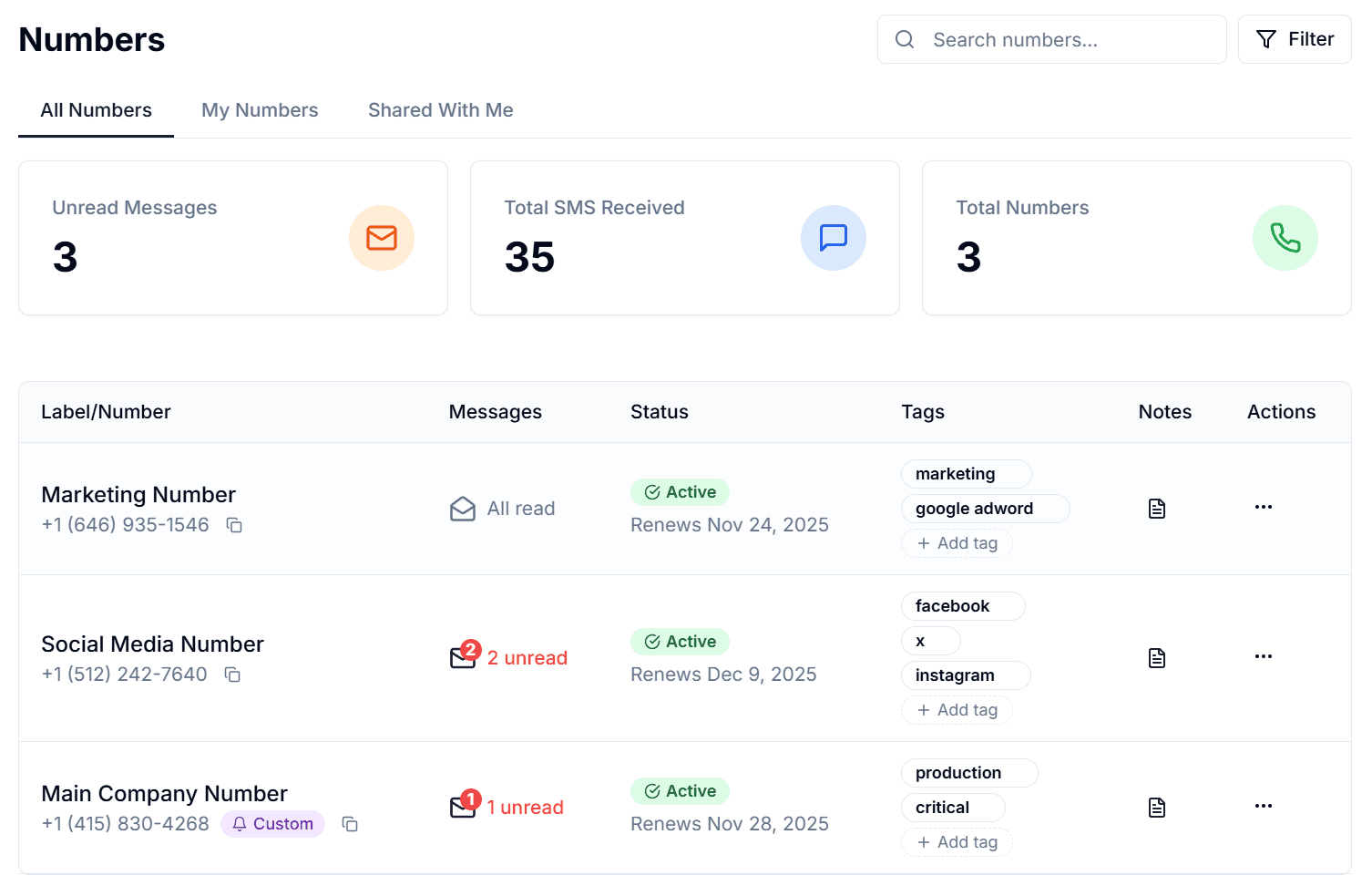
JoltSMS provides real-SIM, non-VoIP US numbers with a dashboard for incoming texts. Keep verification messages accessible to the people responsible for your tools.
- A US mobile number backed by a physical SIM
- Dedicated to your account during your rental
- Searchable messages for your authorized teammates
- Monthly or annual rental with notification integrations included
How to receive a Vercel verification SMS
Resolve account issues first
Check existing accounts and follow any waiting period Vercel displays.
Choose your business number
If you need a dedicated number, select a JoltSMS monthly or annual rental.
Use Vercel’s verification prompt
Enter the assigned number when Vercel asks for an SMS-capable phone number.
Read the incoming SMS
When the code arrives in JoltSMS, enter it in Vercel to continue.
Stop being the person everyone asks for the code
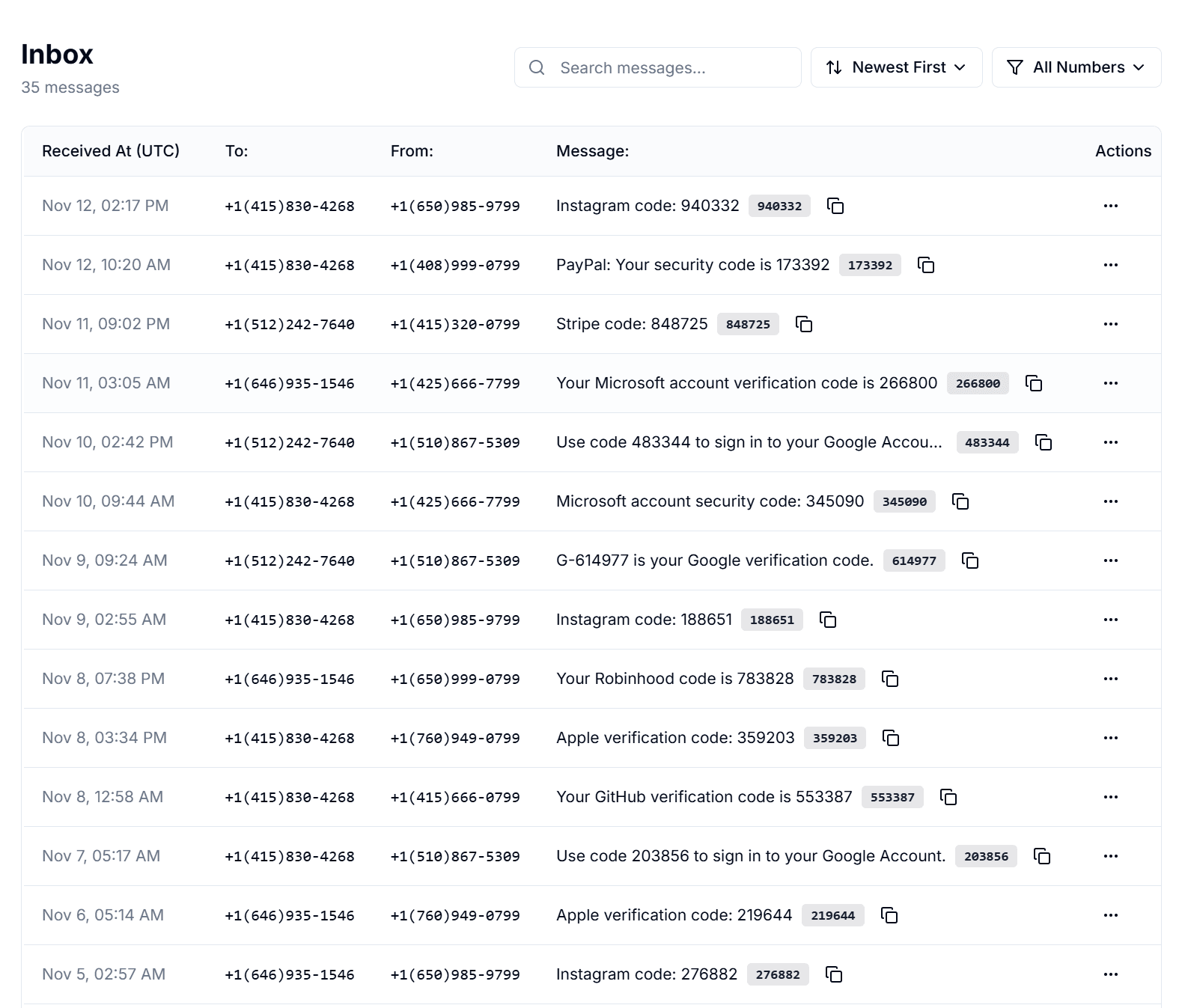
Give authorized teammates access to your business SMS inbox. They can find incoming codes without waiting for you to forward a text or screenshot.
- Invite teammates who manage your business tools
- Read and search incoming messages in the dashboard
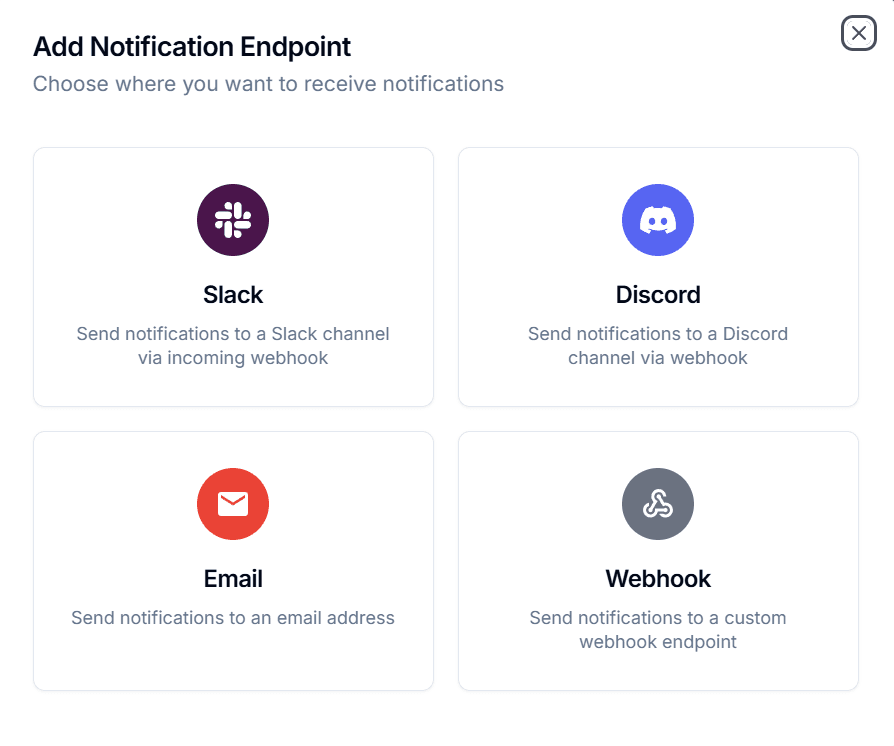
- Route alerts to Slack, Discord, Microsoft Teams, or email
- Connect incoming SMS to internal tools with webhooks or the REST API
Before you choose a number
JoltSMS is independent of Vercel. Vercel decides which numbers and accounts it accepts.
Best practices:
- Use the number for accounts you are authorized to manage
- Keep your rental active while an account depends on the number
- Follow Vercel’s account requirements and regional restrictions
Vercel phone verification FAQ
Why is my phone number already associated with a Vercel account?
The message indicates that Vercel already has an account associated with that number. Try signing in to your existing account first. If you cannot identify or access it, use Vercel’s account recovery or support options. Renting another number does not remove an existing association.
What should I do if Vercel says to wait 12 hours?
Wait for the period shown in Vercel’s message before trying again. If the block remains after that period, contact Vercel Support. A new rental is not a promised way around a temporary block.
Do I need a new phone number for every Vercel project?
Do not assume that every project needs a new account or number. Check the projects and teams available under your existing Vercel account first. Follow Vercel’s account requirements for your setup.
Are JoltSMS numbers unused or guaranteed to work with Vercel?
No. Your number is dedicated to you during an active rental, but we do not promise that it has no previous history or that Vercel will accept it. JoltSMS provides the number and incoming SMS inbox; Vercel makes account verification decisions.
How much does a JoltSMS number cost, and can I keep it?
A dedicated real-SIM US number costs $50 per month or $500 per year. Keep the same number while your rental remains active. The rental includes an incoming SMS inbox, Team Access, and notification integrations.
Can my development team read incoming verification codes?
Yes. Invite authorized teammates to the number’s shared inbox and configure Slack, Discord, Microsoft Teams, or email alerts. Each person still needs the appropriate access in Vercel; sharing an SMS inbox does not grant Vercel permissions.
Give your team a dedicated SMS number
Keep business texts in one shared inbox, with alerts where your team works. A real-SIM US number is $50/month or $500/year.