Keep Law Firm Accounts Accessible When Attorneys Leave
When an associate or partner's personal phone holds your firm's Clio 2FA or Westlaw login code, their departure becomes your access crisis. JoltSMS gives your firm a dedicated, firm-owned verification number — so platform access stays with the firm, not with whoever configured it.
- Dedicated US number the firm owns — not tied to any individual attorney or paralegal
- Shared inbox so authorized staff receive Clio, Westlaw, and NetDocuments codes instantly
- Team Access with Owner, Manager, and Viewer roles to control who sees what
- Message history provides a documented audit trail for cyber insurance and bar compliance reviews

Verification codes arrive in a shared firm inbox — visible to the right people, regardless of who is in the office.
How law firms accidentally make phone verification a single point of failure
It starts innocuously. The founding partner registers the firm's Clio account using their personal cell as the 2FA number. A senior associate sets up the Westlaw login on their iPhone. The paralegal links their personal phone to the NetDocuments workspace. No one considers what happens when any of those people leave — and in 2024, 20% of associates departed within a year (NALP Foundation). When they leave, the firm faces one of three outcomes: an account lockout during active client matters, a vendor support recovery process that can take days, or a departed employee's phone continuing to receive authentication codes for firm accounts they no longer have authority to access. All three outcomes conflict with the firm's ABA ethical obligations.
| Problem | What it looks like for law firms & legal teams |
|---|---|
| Attorney departure access crisis | A senior associate leaves mid-matter. The firm's Clio account is locked because the 2FA is routed to the associate's personal phone, which has already been wiped or ported out. The firm must contact Clio support for account recovery while active client deadlines approach. |
| Abandoned phone as unauthorized access vector | A departed attorney's old phone number is still registered as the 2FA for the firm's Westlaw subscription. That number — now reassigned by the carrier or sitting on a deactivated SIM — represents an unauthorized access pathway to privileged client research, in conflict with ABA Model Rule 1.6(c). |
| Paralegal and staff supervision gap | The firm's case management system requires MFA for all users. Support staff have registered personal numbers. ABA Model Rule 5.3 requires partners to ensure all non-attorney staff follow the same confidentiality and data security protocols as attorneys. Personal phone 2FA is not a firm-controlled security measure. |
| No audit trail for compliance reviewers | Cyber insurers and bar counsel increasingly request evidence of MFA implementation. When 2FA is distributed across personal phones, the firm cannot demonstrate a documented, firm-controlled authentication setup. |
| Multi-practice-group coordination failure | A mid-size firm with multiple practice groups has different attorneys managing separate platform accounts. There is no central inbox or shared number — codes land on individual phones and may go unseen for hours during high-stakes litigation windows. |
Turn verification from a personal phone problem into a firm-owned system
JoltSMS provides your firm with a dedicated, non-VoIP, real-SIM US number that the firm owns and controls. Register it as the 2FA number on Clio, Westlaw, MyCase, NetDocuments, iManage, and every other platform where your firm needs persistent, stable access. When attorneys join or leave, nothing changes — the number stays with the firm.
- Dedicated US number registered in the firm's name — survives any personnel change without account recovery
- Real-SIM, non-VoIP number accepted by Clio, Westlaw, NetDocuments, and other legal platforms that require genuine mobile numbers
- Shared inbox with role-based access — paralegals and associates see codes, partners control who has permissions
- Complete message history for every received code — documented audit trail for cyber insurance and bar compliance reviews
- Instant Slack, email, or webhook notifications so the right person receives the code the moment it arrives, even from outside the office

One firm-owned number. Stable across every attorney transition.
Common ways law firms use JoltSMS
The Departing Attorney Scenario
An associate leaves the firm. With JoltSMS, the Clio 2FA number is registered to the firm — not the associate's iPhone. The firm administrator simply removes the departing attorney's team access in JoltSMS. Active matters remain fully accessible. No support ticket, no recovery delay, no access crisis during client deadlines.
ABA Rule 1.6 Compliance Posture
ABA Model Rule 1.6(c) requires "reasonable efforts" to prevent unauthorized access to client information. ABA Formal Opinion 477R establishes MFA as a required security measure. A firm-owned JoltSMS number ensures that departed attorneys' personal phones cannot become an unauthorized access vector to firm accounts containing privileged client data.
Multi-Practice-Group Coordination
A 20-attorney firm with litigation, corporate, and real estate practice groups each needs independent access to platform accounts. JoltSMS Team Access lets practice group administrators and legal operations staff each manage the codes they need — with one shared inbox and per-user notification rules, so the right person always gets the code first.
How a law firm typically rolls out a firm-owned verification number
Provision a dedicated firm number
Sign up for JoltSMS and provision a dedicated US real-SIM number. This becomes the firm's permanent verification number — not tied to any individual.
Replace personal numbers on platform accounts
Work through each platform — Clio, Westlaw, MyCase, NetDocuments, iManage — and update the 2FA phone number from personal cell phones to the JoltSMS firm number. This process is a one-time migration.
Configure the shared inbox and team access
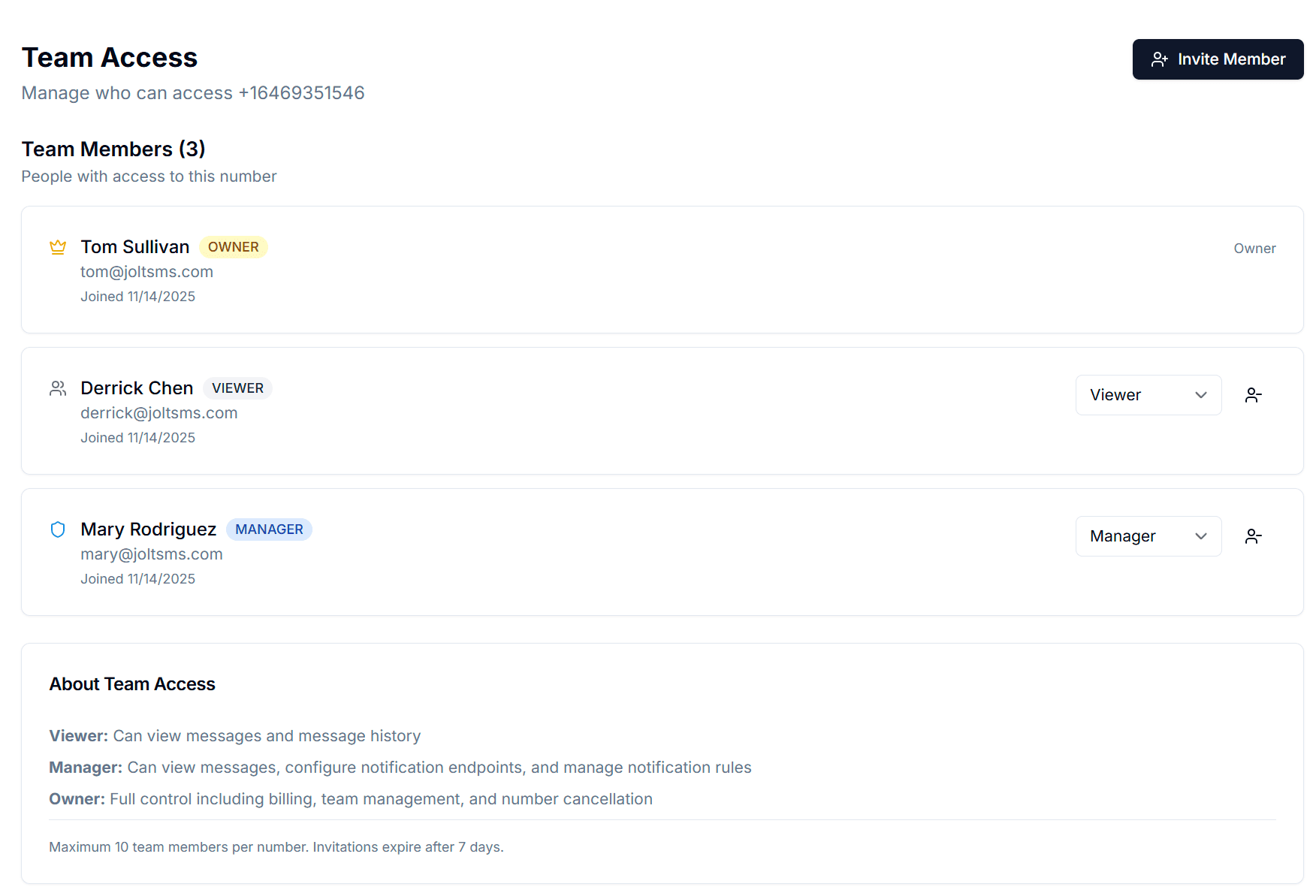
Invite attorneys, legal administrators, and paralegals to the JoltSMS team with appropriate roles. Owners manage billing and access. Managers configure notifications. Viewers receive codes in the shared inbox.
Set up notification routing
Route incoming verification codes to Slack channels, individual email addresses, or firm communication tools so codes reach the right person immediately — even from a conference room or court.
Establish an offboarding protocol
When an attorney or staff member departs, remove their JoltSMS team access. The firm's verification number remains unchanged. Every platform account stays accessible. Document the offboarding step in the firm's IT security policy for bar compliance.
Role-based access that mirrors how law firms actually operate
Law firms have clear hierarchies: partners make decisions, associates and paralegals handle daily workflows, and administrators manage systems. JoltSMS Team Access maps directly to that structure — so the right people see verification codes without exposing firm accounts to anyone who shouldn't have access.
- Owner role — Assigned to the firm administrator or managing partner. Controls billing, number provisioning, and full team access. Typically one or two people.
- Manager role — Assigned to practice group leads, legal operations staff, or senior associates. Can configure notification rules and manage team members without touching billing.
- Viewer role — Assigned to associates and paralegals who need to receive verification codes. Read-only inbox access — they see codes but cannot change firm settings.
- Invite team members by email with a 7-day expiry link. When someone departs, one click removes their access — the firm's number and all platform registrations remain untouched.
Get verification codes where your legal team already works
Law firms run on email and internal communication tools. JoltSMS delivers verification codes to whatever channel your team uses — so a 2FA code for an urgent filing never sits unseen in a dashboard tab.
- Slack — Route Clio and Westlaw codes to a private firm Slack channel. The attorney handling the matter sees the code instantly without checking a separate app.
- Email — Forward all incoming verification codes to a legal operations email address or a distribution list. Every code becomes a timestamped email record — useful for audit trails.
- Microsoft Teams — Law firms on Microsoft 365 can receive verification codes directly in Teams channels or personal chats, without leaving the environment where attorneys already work.
- Webhooks — For firms with custom intake systems or practice management integrations, codes can be HTTP-posted to any endpoint, enabling automated workflows without manual dashboard checks.

Law firm verification — common questions
If the 2FA for your Clio account is registered to that attorney's personal phone, your firm will lose SMS access to the account when they leave. Recovery requires contacting Clio support, which can take time — time your firm may not have if active matters are pending. The solution is to register your Clio account to a JoltSMS number the firm owns outright. When an attorney departs, you simply remove their JoltSMS team access. The number — and your Clio account access — remains unchanged.
Also see how insurance agencies use JoltSMS to manage carrier portal MFA — a similar compliance-driven use case where agent turnover creates the same access-continuity problem law firms face with attorney departures.
Also see how accounting firms and CPA practices handle departing-staff MFA with FTC Safeguards Rule compliance — the same personnel departure risk, the same firm-owned number solution, with a compliance mandate specific to tax professionals.
Also see how healthcare practices and the HIPAA Security Rule MFA requirement create the same EHR access crisis — the ABA 1.6 compliance bridge to HIPAA; law firms and healthcare practices share the same regulated-professional-services challenge when staff depart.
Also see how management consultants, engineers, and government contractors handle CMMC MFA compliance and platform access continuity — the same personnel-departure risk pattern as law firms, with CMMC enforcement since November 2025 adding mandatory documentation requirements for defense contractors.
Give your firm a verification number that survives any personnel change
Stop routing client-matter platform access through personal phones. One firm-owned JoltSMS number keeps Clio, Westlaw, and every other platform tied to the firm — not to whoever happens to be the current associate.